

Maven Creating Wonder Applications
Creating Wonder Applications using Maven + m2eclicpse
If you want to use Wonder in your applications (and why woundn't one) you must be correctly setup with:
- eclipse + wolips > see tutorial about installation and operation.
- Maven > see the Maven Quick Start tutorial.
- plugins like m2eclipse which supports Maven-eclipse integration.
- Wonder sources which then are built and installed in your local repository.
One reasonable way to get and maintain the Wonder sources is have a directory which holds all the sources (see here: Download Wonder Source), then use Maven to install and build Wonder (see here: Building the wonder source code with maven).
Several things you should know, currently:
- Wonder is built using a maven "build profile", e.g. "mvn clean install -P wo53" builds things for a WebObjects 5.3.x environment and "mvn clean install -P wo54" builds things for a WebObjects 5.4.x environment.
- The only frameworks which are different because of this are ERExtensions and WOOgnl.
- Because of this difference you must specify which version you want. For instance, you may want the ERExtensions-5.0.0-SNAPSHOT-wo53.jar, or the ERExtensions-5.0.0-SNAPSHOT-wo54.jar. You specify by adding a "classifier", which would have the value of wo53 or wo54. The other frameworks should not have this classifier.
With all the tools ready, it's time to make a Wonder application.
1. Make a new project File > New > Other project, choose a Maven project: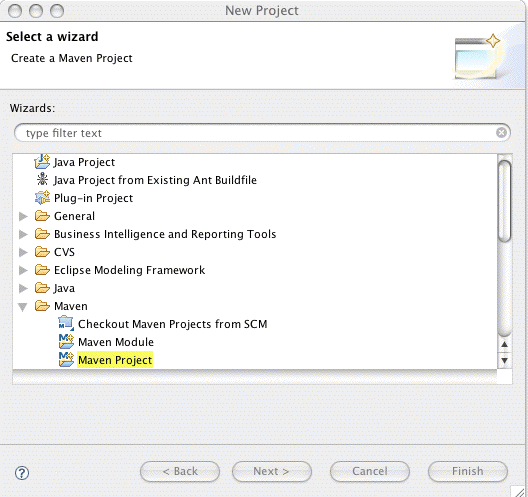
2. Hit Next
3. Hit Next again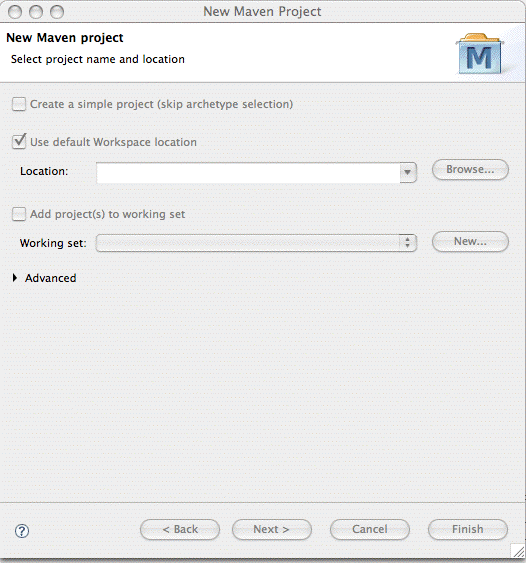
4. Select an archtype, use the local catalog, select the woapplication-archtype, hit Next: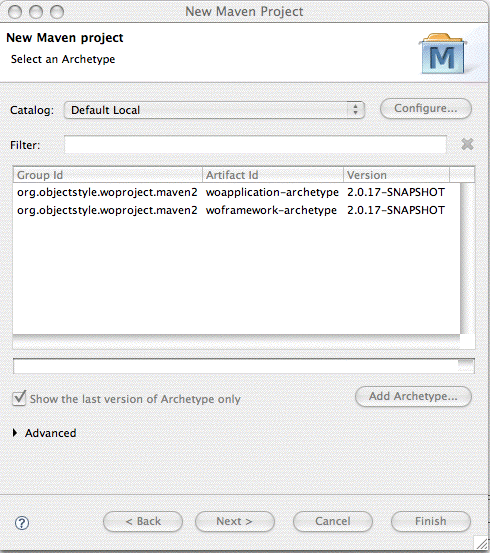
(What does one do if one selects the "Default Local" and one sees: "No archetypes available for this catalog."? What can one do to correct this? -rrk (ray at ganymede.org) 2022-06-24)
5. Fill in appropriate parameters for the woapplication-archtype to set up your new application, hit Finish!
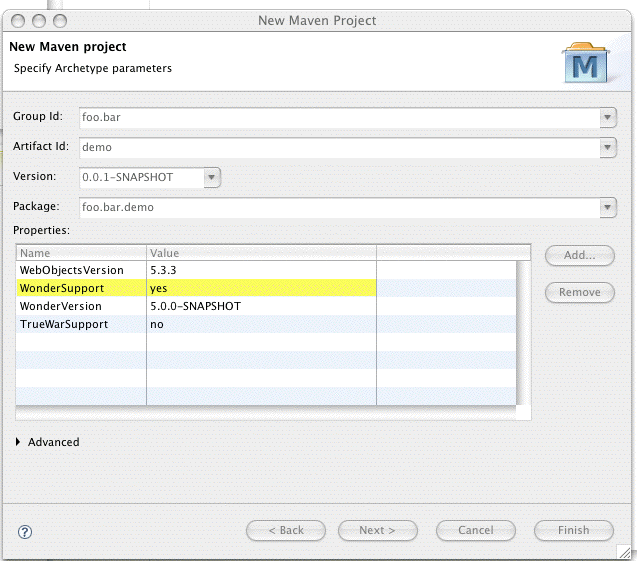
The eclipse plugins now create your application!
You should create a WOApplication Run Configuration and add the projects build folder's Java to the classpath as detailed here: Maven Running or Debugging as WO Application, otherwise classes won't be found, etc.